Digital Invitation & QR Photo Album

Your invitation goes out in your voice,your guests’ voices come back to you.

Send your digital invitation on WhatsApp and guests hear your voice when it opens. With your QR photo album, everyone who scans the code on the table adds their photos, videos and spoken wishes to one album.

Sample voice invitation
No app needed One-time payment You keep the album

Just the invitation, just the album, or both?

The invitation works before the wedding, the album on the day. You can buy just one. Take both and the invitation costs less.

  • Before the wedding

    Digital Invitation

    Send your invitation on WhatsApp and know who is coming before the day.

    • 22 cinematic templates
    • Voice invitation: in your own voice
    • RSVP: who, how many, what they eat
    • Directions, calendar, countdown
    Start with Digital Invitation

    The photo album your guests upload to is not included.

  • On the day

    QR Photo Album

    A guest scans the code on the table and leaves their memory straight in your album.

    • Photo, video, voice and note
    • Unlimited guests and uploads
    • You approve and moderate
    • Download it all as a ZIP
    Start with QR Photo Album

    The digital invitation and RSVP are not included.

  • Start to finishBest value

    All in One

    From invitation to album, your whole wedding in one panel.

    • Invitation + RSVP, complete
    • The full QR photo album
    • One panel, one payment
    • Invitation at a lower price
    Start with All in One

    Bought separately, the two cost more.

Nothing is charged at this step. Make your invitation, see how it looks, and settle on a package later. Try it free

How it works

  1. Before the wedding

    The invitation goes out on WhatsApp

    Pick a template, type your names, record your voice. Guests open the link and reply on the same page.

    Below
  2. On the day

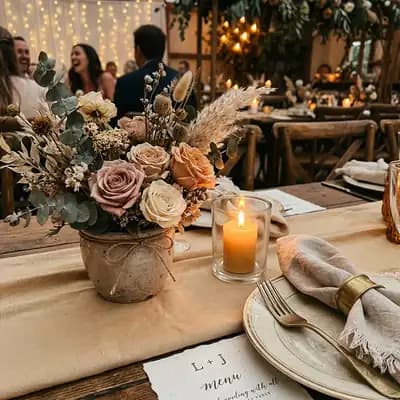
    Put the QR code on the tables

    Guests scan it with their camera and leave photos, videos and spoken wishes. What you approve goes up on the venue screen.

    Below
  3. The morning after

    You keep the album

    Download the whole night as one file. How long it is kept, and who can see it, is written in your panel.

    Below

Before the wedding

Your invitation goes out on WhatsApp and opens in your voice.

Pick a template and type your names. When a guest taps the link the invitation opens and your voice plays; the reply form is right underneath. Tap a template to see how it opens on a guest's phone.

22 templates shown

22 cinematic templates

Browse by style →

Voice invitation

Read the invitation in your own voice. Your guest hears it, with your names, as it opens.

RSVP tracking

Who is coming, with how many, what they eat; counted in your panel, listed one by one.

Schedule and countdown

Henna night, ceremony and after party, each with its time. A countdown runs at the top.

Directions, add-to-calendar and a print-ready QR code are in the invitation too.

Make your invitation today

Pick a template, type your names and see it straight away. Nothing is charged at this step.

Create your invitation →

On the day

Every table at the wedding ends up in the same album.

The tables your photographer never saw, what the children shot and a friend's spoken toast all land in the same album. On the day, the code on the tables opens it; in the morning it is all yours.

On the guest’s phone

The album below is running right now. Watch what happens when a new memory arrives and what you approve.

Guest gallery

Demo, not real guest data

0
Photos
0
Videos
0
Voice
0
Notes
  • The first memories will appear in a moment…

On the screen at the venue

What you approve goes up on the venue screen, the rest waits in the queue. The call is yours all night.

Unlimited
guests and uploads
4 formats
photo, video, voice, note
0 apps
opens with the camera
ZIP
download all of it

The morning after

The night ends, the album stays with you.

In the morning you download all of it as one file. Who can see it, and for how long it is kept, is written in your panel.

The whole album in one file

At the end of the night you download the album as one ZIP; photos, videos and voices each in their own folder.

You decide what is shown

If you like, every post waits for your approval first. You can stop any guest from posting with one tap.

Only people with the link can see it

The album is never shown to search engines. Only the people you give the QR code or link to can open it.

The contracts and privacy notice are on the site

Our privacy notice, distance sales contract, pre-contract information and returns policy are all published on the site. Memories are stored on servers in Türkiye.

For engagements, henna nights and birthdays too.

The same album works at an engagement, a henna night or a birthday. The code goes on the table; the rest is the same.

  • Wedding

  • Engagement

  • Henna night

  • Birthday

  • Promise ceremony
  • Graduation
  • Anniversary
  • Corporate
  • Baby shower

Questions couples ask

Do my guests need to download an app?

No. They scan the QR code with their phone camera and the album opens in the browser; no account is needed either.

Where can I put the QR code?

On the tables, at the entrance or on the welcome board. On your paper invitation too, if you like. The album has one code for the whole event; download it from your panel as a table card and an entrance poster.

What can guests share?

Photos, videos, voice messages and written notes. All four are kept in the same album, each in its own format.

What is the difference between the invitation and the album?

The invitation goes out before the wedding: you share its link on WhatsApp, and guests see the details and reply. The album works on the day: a guest who scans the code on the table leaves their photos and voice. You can buy either on its own or both together in the All in One package; the invitation on its own does not include the album.

Where do I see the replies?

In your panel. Those coming, those who cannot and those with dietary needs are counted separately, and every reply is kept as a list. What guests leave there is deleted automatically 48 hours after the wedding.

Can I change the invitation after sending it?

Yes. You can edit the time, venue, schedule and all the text until the wedding; the link stays the same and guests always see the latest version.

Is the album public?

No. Only people with the link or the QR code can open it. If you want posts to wait for your approval before they appear, switch on “Önce ben onaylayayım” (I approve first) under “Gizlilik ve onay” in your panel.

Do I keep the memories after the night?

Yes. You can export the whole album; the retention period and archive options are shown in your panel.
Start today and pay at the very end.

An invitation, an album, or both. Whichever you pick, payment is the last step; if you don't like it, you pay nothing.

Create your event