QR photo album:one album, through every guest's eyes.
Put a QR code on the tables. Guests scan it with their phone camera and drop their photos, videos and spoken wishes into the album as the night goes on. In the morning it is all yours, in one place.
One payment, no subscription.
- No app to download
- Unlimited guests and uploads
- Download all of it

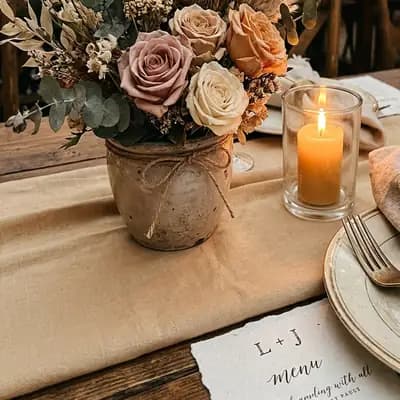

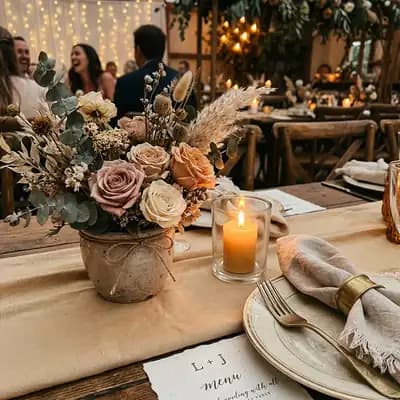



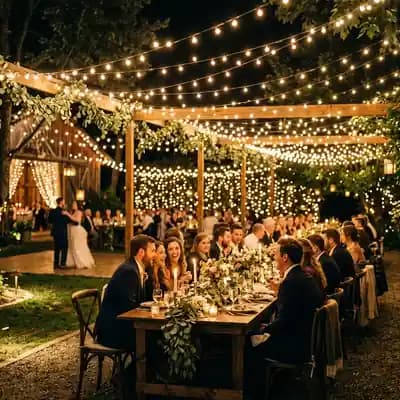




How it works
Three steps, and the night fills it by itself.
- 1
Put the code on the tables
Print the table card, poster or entrance board from the print pack. One code covers the whole event.
- 2
Guests scan and share
The camera opens, the album loads in the browser. A photo, video, voice message or note. No app, no sign-up.
- 3
The memories stay with you
Watch the posts from your panel. After the event, download them all as a single ZIP file.
Four kinds of memory
More than a photo album.
- Photo
- Every angle at the tables and on the dance floor that the photographer never saw.
- Video
- The first dance, a surprise speech, the folk dance. Up to two minutes.
- Voice message
- A friend's toast, a grandmother's blessing. Recorded on the page, up to two minutes.
- Written note
- A digital guestbook: a few lines left for the couple.
Venue screen
Shared memories, on the screen at the venue.

The venue screen comes with the album. Open the link from your panel on a projector or TV. Guests' photos, videos and notes come up in turn, with the QR code in the corner.
Each post reaches the screen after a short delay, so anything unwanted can be removed before it is on the wall. Or approve posts yourself first, if you prefer.
Print pack
Your QR code, ready to print.
When you buy the album, your QR code is laid out with your names and date in six print files. If a name or the date changes, the files update themselves. If you like, we print the table cards and send them by courier.
- Table card
- Table tent
- A5 stand
- Entrance board
- Poster
- Instagram story
Before the wedding
Before the album: the digital invitation.
Send your invitation on WhatsApp, read it in your own voice and collect RSVPs in one panel. Bought with the album, the invitation costs less.
Questions
What people ask about the QR photo album.
What is a QR code photo album?
A shared album where guests who scan the code you put on the tables on the day leave their photos, videos, voice messages and written notes. Instead of scattered WhatsApp groups, everything gathers in one place through the night.
Do guests need to download an app or sign up?
No. Scanning the code with the phone camera opens the album in the browser. A guest can type their name if they wish. They do not need an account.
What can guests share?
Photos, videos, voice messages and written notes. Videos and voice messages are up to two minutes. Voice messages are recorded on the page. For each post the guest chooses whether everyone or only you can see it.
How many guests, how many photos?
There is no limit on guests or on uploads. Photos are made smaller on the phone before uploading, so they go quickly even on the venue's internet.
Can I see posts before they are published?
Yes, if you want to. Posts appear straight away by default. Switch on “Önce ben onaylayayım” (I approve first) in your panel and each one waits for your approval. You can also stop any guest from posting with one tap.
Can I show the album on a screen at the venue?
Yes, the venue screen comes with the album. Open the link from your panel on a projector or TV. Posts come up in turn alongside the QR code. A post reaches the screen after a short delay, so anything unwanted can be removed before it is on the wall.
How long does the album stay open, and can I download the photos?
The album stays open for three months from the event date. Extra storage extends it, and you are told before it runs out. You download the whole album, with every photo, video and voice message, as a single ZIP file.
How do I print the QR code?
When you buy the album a print pack is prepared: a table card, table tent, A5 stand, entrance board, poster and Instagram story, as print-ready PDFs. If a name or the date changes, the files are regenerated by themselves. If you like, we print the table cards and send them by courier.
Can guests see each other's posts?
By default the album is yours: guests upload, and you see the memories. If you want guests to follow the album on their own phones too, choose the Guest Gallery add-on.
Can I use it for something other than a wedding?
Yes. It works the same way for engagements, henna nights, promise ceremonies, birthdays, graduations, anniversaries and corporate events.
Open an album for your night.
Create your event, download your QR code, put it on the tables. Your guests fill in the rest.